Check Mud Weight view
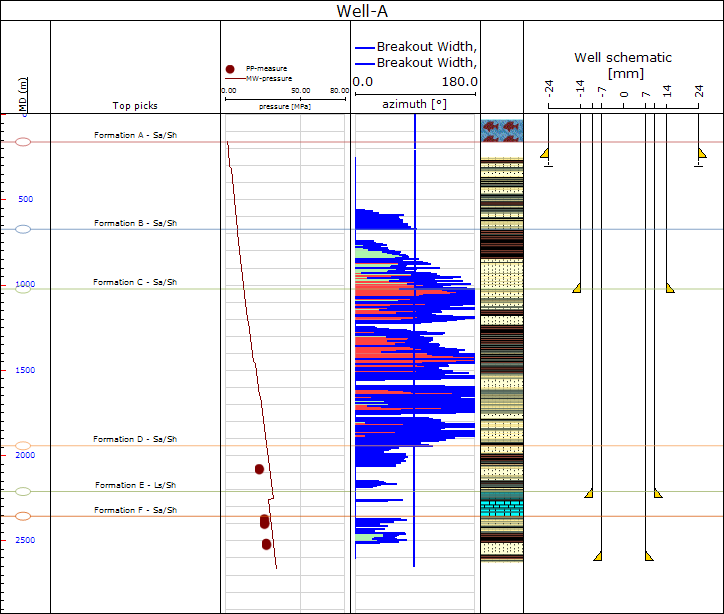
The Check Mud Weight view click to enlarge
The Check Mud Weight view, opened via the Show button on the Along Wellbore form, displays the mud weight log in the first track and the Break Out Width and Critical Break Out Width in the second track. This serves as a representation of the width of the failed zone (breakout) on a single side of the well as a function of depth. The allowable breakout width limit (selected in step 1) displays as a thick blue line on the plot.
Where the breakout width is below the critical breakout width limit it is shaded in green. Where it exceeds the limit, it is colored in red. Note that this is the GMI WellCheck type of the display. There is a second mode coloring the width below the limit in green and the part above the limit in red, which can be reached by the context menu of the track (right click in the track, select Intersection mode > JewelSuite).